A useful wedding RSVP reminder states who you are contacting, the date you need an answer, and how to reply. Check your response list first so you only contact households that are still pending. Keep a confirmed yes, a confirmed no and no response as three different states.
Below are editable wording examples and a simple tracking workflow. The dates and household IDs are fictional. These messages are suggestions you can adapt to your relationships and plans, not a rule that every guest must be contacted in the same way.
Choose your RSVP deadline from the handoff you need
Start with the final guest-count date agreed with your caterer or venue. Work backwards to allow time for missing responses, meal questions and your own checks. Your invitation deadline and the supplier's final-count deadline serve different purposes. Confirm the supplier date rather than using a universal number of weeks from a checklist.
For example, if a final count is due on 20 June, you might choose an earlier guest deadline and reserve the gap for follow-up. How large that gap needs to be depends on your actual agreement and how you collect replies. Do not use an estimated attendance percentage as a confirmed headcount.
Wedding RSVP reminder text before the deadline
"Hi [name]! A quick reminder that the RSVP date for our wedding is [date]. Please let us know through [reply link or method] whether you can join us, including which invited members of your household are attending. Thank you!"
Keep the message short and include a working reply method. Check the link on a phone before sharing it. If a household has already replied through another channel, update your list instead of asking them to respond again.
Wedding RSVP reminder wording after the deadline
"Hi [name], we're finalising our wedding guest numbers and haven't recorded your response yet. Could you let us know by [follow-up date] whether you can attend? Please reply through [method], or message us if you need help. Thank you!"
The follow-up date should leave enough time for your real catering handoff. Contact the appropriate household member directly instead of posting the pending list publicly. If you have received a partial answer, ask only for the missing detail.
Ask for the actual attending party size
"Thank you for confirming! Could you tell us which of the invited members of your household will attend? We want to make sure the meal and seating counts are right."
One accepted household is not necessarily one guest, and an invited party of four may confirm only two attendees. Keep the invited names and the confirmed attendance clear. Do not treat an unanswered plus-one or an unresolved meal choice as confirmed.
See the household RSVP counting guide for a worked explanation of invitations versus headcounts.
Use a small follow-up sheet beside your RSVP list
For your own spreadsheet, use one row per household and these columns: Household ID; Contact method; Response; Confirmed attending; Last contacted; Next follow-up; Missing detail. Keep contact information private and share only what your suppliers need.
Use consistent response labels such as Pending, Accepted and Declined. In this example layout, Response is column C and Confirmed attending is column D. Count pending households with:
=COUNTIF(C2:C301,"Pending")
Calculate confirmed attending people with:
=SUMIF(C2:C301,"Accepted",D2:D301)
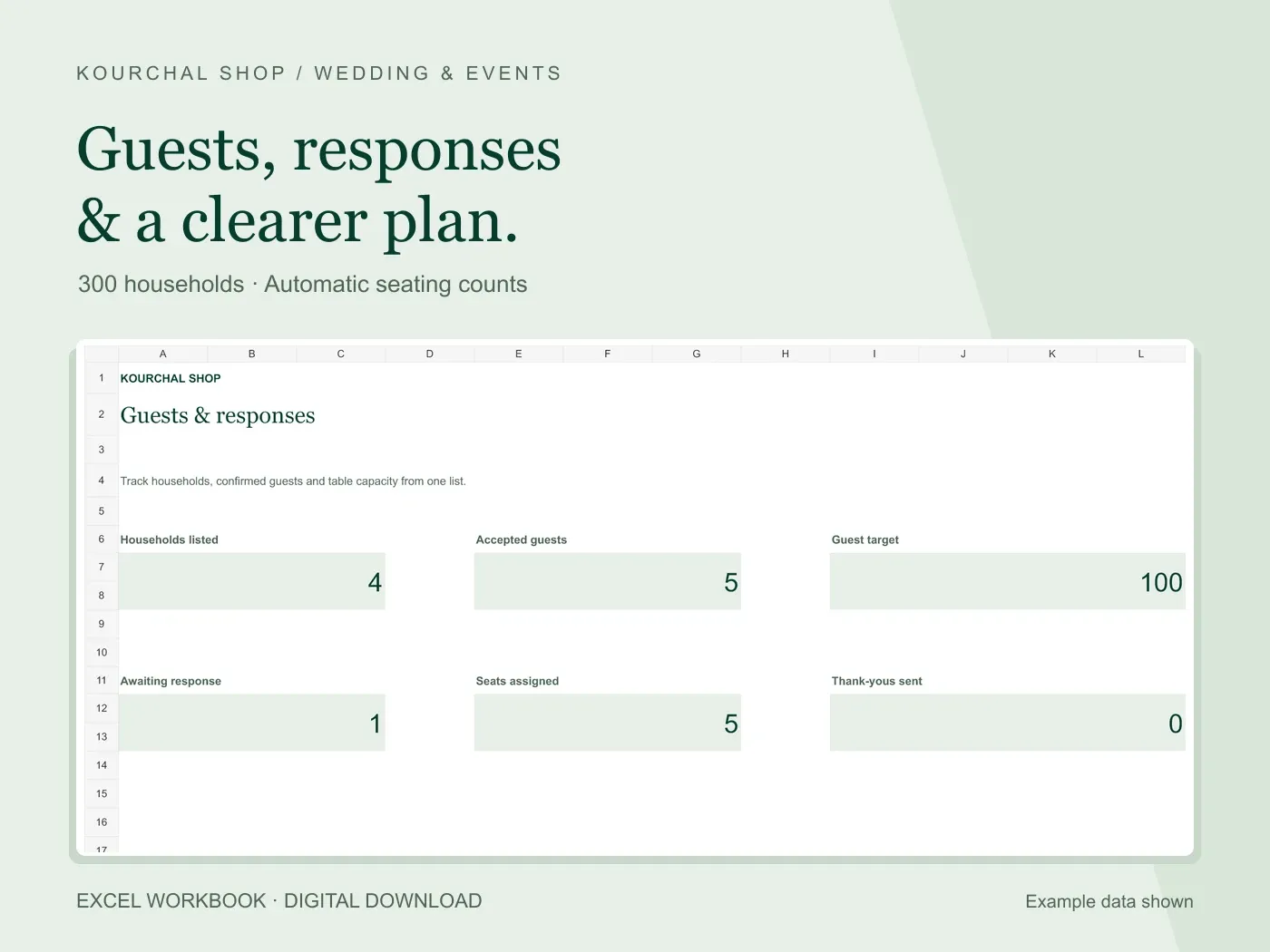
These formulas answer different questions. If H001 accepts for three people, H002 accepts for two, H003 declines and H004 remains pending, there are five confirmed attendees and one pending household. The pending household does not add a confirmed guest.
Filter Response to Pending when preparing reminders. Check Last contacted and Next follow-up before contacting the same household again. The follow-up columns are a layout for a sheet you create yourself; this article does not claim the paid tracker includes an automated reminder system.
When someone does not reply
Keep the response pending until you have a clear answer or decide how to close your list. Before sending final numbers, agree with your partner how unresolved invitations will be handled and contact the affected people clearly. Do not mark every non-response as accepted to make the numbers look complete.
After a confirmed answer arrives, update the response, the actual attending count and any missing meal details together. If a change comes after your supplier's deadline, check directly whether it can be accommodated before promising it.
Prepare the catering and seating handoff
Review accepted households, unresolved details and the supplier's counting requirements. For a plated meal, you may need a person-by-person list even if your invitation tracker uses households. Keep dietary information limited to what is needed for the handoff.
Use the meal choice spreadsheet guide when you need individual selections, and the table capacity guide to compare confirmed attendees with the capacity agreed for each table.
Frequently asked questions
Should I send reminders to everybody?
Check the current list first. Targeted follow-up avoids asking people who already responded to do the same work again. If you send a general deadline reminder, make it clear that people whose replies are recorded do not need to respond twice.
Is an RSVP reminder email better than a text?
Use the channel your guests can reliably access and the reply method you can keep updated. A short text can point to the same RSVP form as an email. The important part is recording the resulting answer in one current list.
Does the Kourchal tracker send RSVP reminders?
No. It is an editable Excel workbook for guest details, household responses, attendance counts, table assignments and gift follow-up. It does not send messages or provide an online RSVP form.
See the real Guest List & RSVP Tracker previews before choosing a prepared workbook.
Before your next vendor payment.
A free wedding payment checklist to help you check what is agreed, what you have paid and what is due next.
- Check the agreed cost.
- Account for payments already made.
- Confirm the next amount and due date.
A printable checklist, separate from our paid Excel workbooks. No purchase needed.